TL;DR: AdaL Desktop now runs on Mac, Windows and Linux. Just say "make a video" and AdaL produces it, with motion graphics, 3D, voiceovers, music and captions, then lets you edit, version and branch it. AdaL supports more than 50 connectors, from Gmail and Slack to Notion and GitHub. New models: GPT-6.1 Sol, Claude Sonnet 5.5 as the new default, Seedance 2.5 for video and Nano Banana 2.1 for images.
As a coding agent harness, we realized that go-to-market has become 10x more competitive as building has become 10x easier. So we decided to close the loop from product to market. Here is what we have shipped as the only coding agent that does GTM.
1. AdaL Desktop (Mac, Windows, Linux)
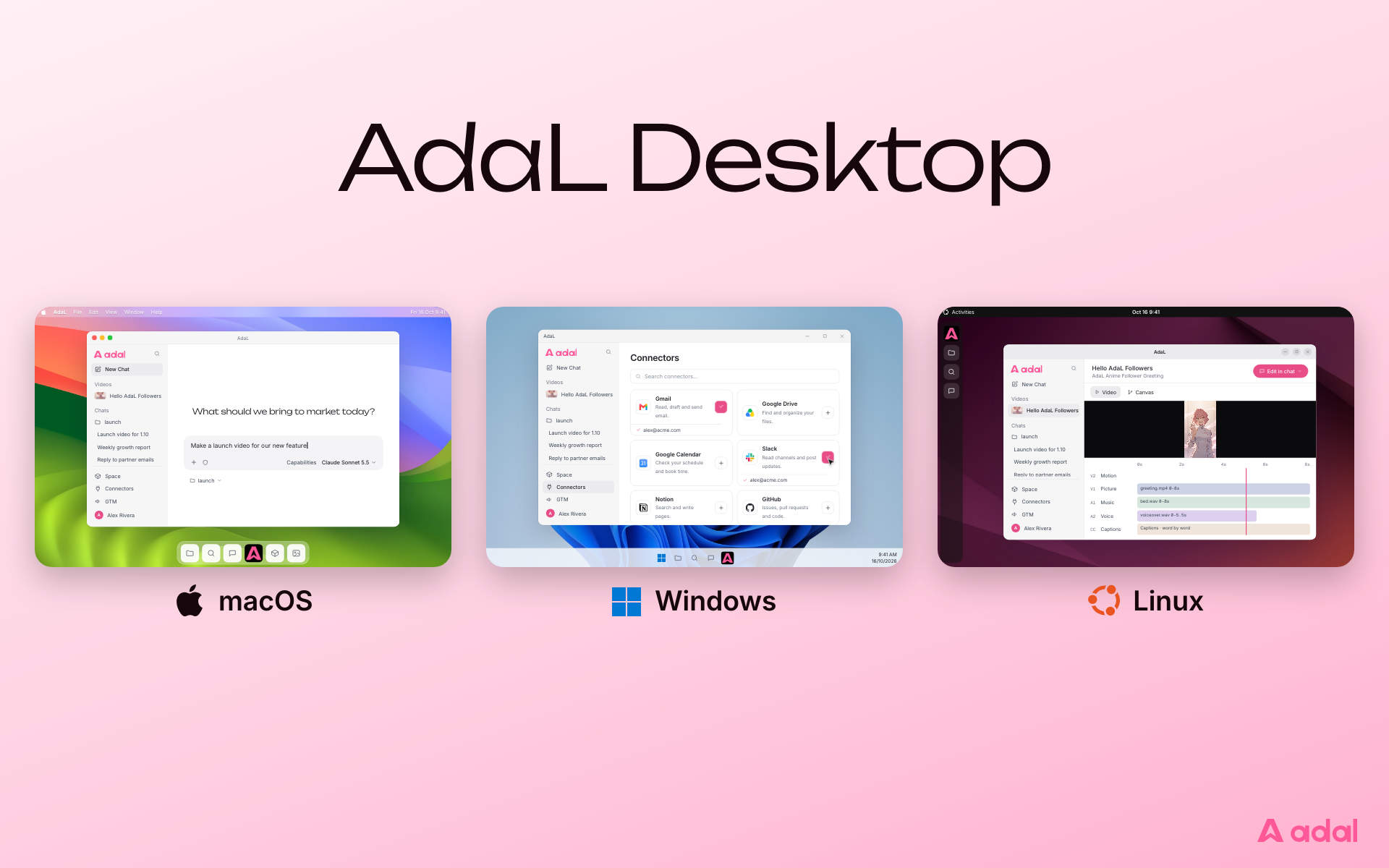
Non-technical person? No problem! We finally upgraded ourselves from CLI into a desktop UI that runs on Mac, Windows and Linux.
Your chats, videos, files and connected apps live in one workspace. Desktop runs on Apple Silicon Macs, Windows 10 and 11 (x64), and Linux (x64, Debian, Ubuntu and their derivatives).
Download AdaL Desktop, or read the Desktop guide.
2. AdaL Videos
Just say:
make a video
AdaL adds the motion graphics, 3D, voiceovers, music and captions for you. Cut your own footage or generate new clips, then edit, version and branch your video until it is ready to post.
- Cut your footage or generate new clips. Start from screen recordings, prompts, stills, or first and last frames.
- Motion graphics and 3D, drawn in code. Titles stay sharp and spelled right.
- Voice, music and captions. Narration, sound effects and word-by-word captions that follow every edit.
- Edit, version and branch. Versions sit on the Canvas, so you can go back to one, or branch a new direction without losing the old one.
Start with the video producer guide.
3. Connectors
AdaL now supports more than 50 connectors, from Gmail and Slack to Notion and GitHub. Connect an app once and just ask, and AdaL checks with you before it sends anything.
In AdaL Desktop, click Connectors in the sidebar. In the CLI, run /connector. Pick a service, sign in once in your browser, and from then on just ask in plain words:
Draft replies to my unread emails from today
- You stay in control. Anything that sends or changes something, like sending mail, uploading a file or creating an issue, asks for your approval first.
- One login, everywhere. Connections belong to your AdaL login, so the same accounts show up wherever you sign in, and you can connect more than one account to the same service.
- Rolling out. If a service shows as Not configured on this server, it is not live for you yet.
Setup and account status are in the Connectors docs.
4. New models support
We support new models: (Chat) GPT-6.1 Sol, and Claude Sonnet 5.5 as the new default, (Video) Seedance 2.5, up to 30s at 1080p with native audio, (Image) Nano Banana 2.1.
- GPT-6.1 Sol. OpenAI's latest, now in the model picker and recommended.
- Claude Sonnet 5.5. New conversations start on it, and you can still pick any model from the model picker (
/modelin the CLI). - Seedance 2.5. Up to 30 seconds at 1080p with native audio. Good for anime and lip-sync.
- Nano Banana 2.1. A new image model, alongside GPT Image 2.5 and Nano Banana Pro.
See every model in Models.
Also new
- Pin and rename your chats. Keep the chats you return to at the top of the sidebar, and give them names that mean something. Rename from the row menu, the chat header, or
/rename. - Drag and drop images straight into the chat. Drop a picture on the composer and it is attached, just like paste or the Upload button. Desktop hands the model your actual file, wherever it lives.
- Huge improvements on Windows and Linux.
- AdaL no longer ships on npm. If you installed with
npm install -g @sylphai/adal-cli, AdaL shows you two commands to switch. Your settings, sessions and login carry over.
npm uninstall -g @sylphai/adal-cli
curl -fsSL https://adal.sylph.ai/install.sh | bash
On Windows, the second command is:
irm https://adal.sylph.ai/install/windows | iex
Try it now. Download AdaL Desktop and say "make a video".
Full notes are in the changelog.