Browser use looks deceptively simple: give a model browser tools, let it read the page, click buttons, fill out forms, and repeat until the task is complete.
In practice, deciding that the next step is “click Login” and reliably completing a long workflow in a real Chrome environment are very different problems. The second requires the system to maintain browser state, execute tool calls correctly, wait for page transitions, recover from failures, and determine whether the user’s goal was actually achieved.
That led us to the central design principle behind AdaL Browser Use:
Browser-agent reliability is a systems problem, not just a model problem.
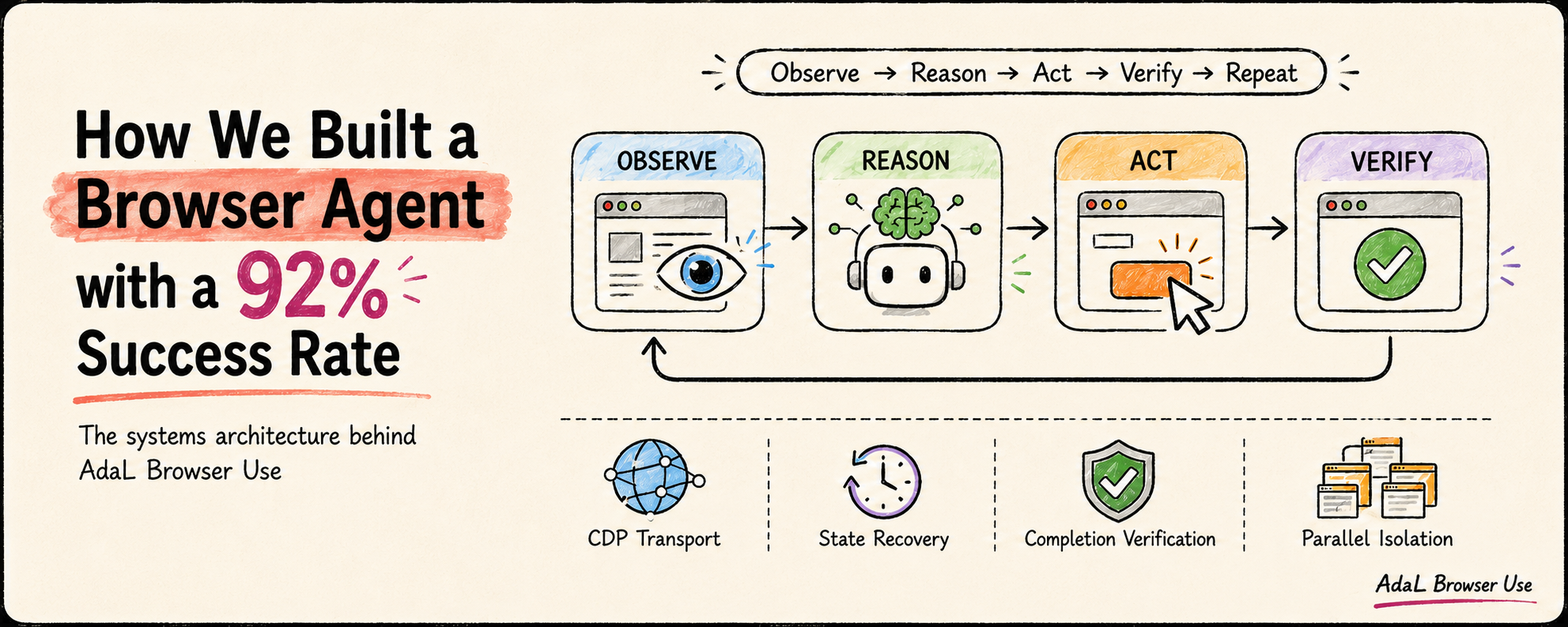
We recently evaluated AdaL on BU100, a set of 100 curated browser-automation tasks from BU Bench V1. AdaL completed 92% of the tasks, compared with the 89.5% best baseline shown on the leaderboard at the time of testing.
The number matters, but the architecture behind it matters more. This post explains the agent loop, Chrome DevTools Protocol transport, browser-state checks, recovery logic, and the remaining problems we are working on.
What the 92% result actually measures
A conventional LLM benchmark often asks whether a model can produce one correct answer. A browser benchmark evaluates an entire trajectory.
For every task, the agent must repeatedly:
- observe the current browser state;
- interpret the page and select an action;
- execute the action;
- wait for the resulting state transition;
- observe again and verify progress;
- decide whether to continue, recover, or stop.
If a task requires 15 actions, one execution error can derail the entire run. The model may identify the correct button, but the page may still be loading. A click may succeed while navigation is incomplete. A form may submit correctly, but the agent may fail to recognize the success state and continue acting.
We therefore think of task success as the joint result of several components:
Task success ≈
  planning quality
  × tool-selection reliability
  × browser-state accuracy
  × action-execution reliability
  × state-transition handling
  × recovery capability
  × completion verification
This is not intended as a formal equation. It describes the failure surface: weakness in any layer reduces end-to-end reliability. The 92% result is therefore a system score, not a pure measure of model intelligence.
A browser agent is a closed-loop control system
Traditional browser automation assumes that the next state is predictable. An agent cannot safely make that assumption. After every action, it must re-observe the environment and update its understanding of what happened.
The core loop is:
Observe → Reason → Act → Wait → Observe → Update → Verify
Consider a single click() call. It might trigger a navigation, redirect, DOM mutation, modal, new tab, asynchronous request, or authentication challenge. A successful click only means that the input was delivered. It does not mean the next page state is ready.
If the agent continues before a redirect finishes, or assumes a form was submitted when the page is showing a validation error, all later reasoning operates on the wrong state. The model may reason correctly from that state and still fail the task.
This is why we treat Browser Use as a closed-loop control system rather than a chatbot with browser access. The environment is part of the reasoning loop.
Keeping the path from the agent to Chrome short
AdaL controls Chrome directly through the Chrome DevTools Protocol (CDP). The simplified stack is:
AdaL Agent
  → Browser Tool Interface
  → Browser Runtime
  → CDP over WebSocket
  → Chrome
The runtime translates an agent action into a CDP command, sends it to Chrome, and returns both the execution result and the updated browser state. We do not place an additional MCP server or third-party browser SDK in the critical path.
Owning this layer gives us direct visibility into the questions that matter during a failure: Did Chrome start? Is the CDP endpoint reachable? Is there a valid page target? Did the command execute? Has the connection gone stale? Is the browser on the page the agent believes it is on?
This makes failures easier to localize and lets the runtime decide whether to retry, recover, or fail fast.
The model-facing interface remains familiar. AdaL exposes computer-use-style actions such as navigate, read_page, find, form_input, and computer. This separation is deliberate:
The tool interface is for the model. The transport is for the runtime.
Familiar action semantics reduce the burden on the model’s tool-selection layer. Direct control of the transport gives the runtime the observability and recovery behavior required for reliable execution.
Liveness is not readiness
One of the most important lessons was that process state and usable browser state are not the same.
An early health check looked roughly like this:
Chrome process exists + debugging port responds = browser ready
That test is insufficient. The debugging port may respond before a usable page target exists. Chrome may still be running after every window has closed. A force-killed instance may leave stale profile locks that cause the next launch to enter a partially broken state.
The useful question is not “Is Chrome alive?” It is “Can Chrome correctly execute the agent’s next action?”
AdaL’s initialization and recovery path therefore checks the CDP connection, page targets, page initialization, and command acceptance. It also handles stale profile locks. Temporary initialization delays are retried; unrecoverable runtime failures stop quickly instead of leaving the agent waiting indefinitely.
For long workflows, this distinction is critical. One incorrect health judgment can cause the rest of the trajectory to build on a browser state that never existed.
Extending coding agents into real application state
Browser Use becomes especially useful when paired with a coding agent. A developer can ask AdaL to:
Reproduce a frontend bug in staging, find the root cause in the codebase, fix it, and reopen the site to verify the fix.
A conventional coding agent usually operates within the repository, terminal, and test suite. Browser Use extends that boundary to the deployed application and the user journey.
After changing the code, the agent no longer has to stop at “this should fix the issue.” It can reopen the page, repeat the failing workflow, and check whether the behavior actually changed. The browser becomes part of the implementation and verification loop.
The remaining 8%
The most useful information in a 92% result is often the 8% that still fails.
One open problem is parallel browser isolation. Browsers are highly stateful. If two workers share one Chrome instance, one worker can change the active tab before another worker’s next action. The second command may succeed at the protocol level while executing in the wrong page context.
Reliable parallel execution requires per-worker Chrome instances, separate CDP endpoints, isolated profiles, and independent page state. We are also improving asynchronous state synchronization, recovery behavior, and completion verification.
Verification may be the hardest part. Executing a valid sequence of actions does not prove that the user’s goal was achieved. The next stage of browser agents depends on whether they can maintain an accurate model of browser state, detect when reality diverges from that model, recover, and verify completion.
We started with a simple mental model: LLM plus browser tools. What we built is a full runtime in which the model, tool interface, transport, browser state, lifecycle, recovery, and verification must work together.
That is where AdaL Browser Use stands today. The 92% shows that the system works; the remaining 8% defines what we build next.
Try AdaL Browser Use
curl -fsSL https://adal.sylph.ai/install.sh | bash
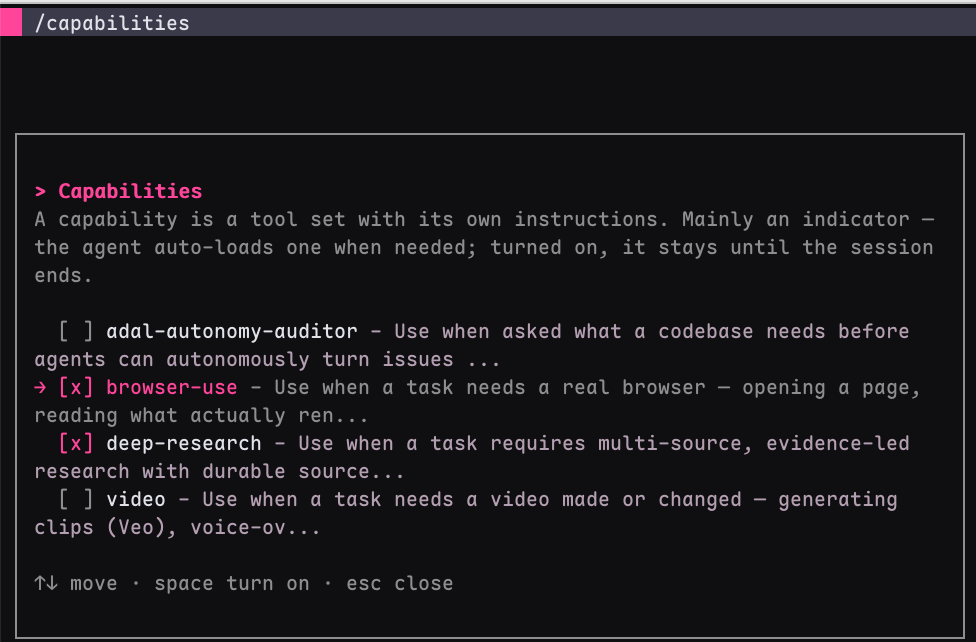
Run /Capabilities, select Browser Use, and describe the task you want to complete. AdaL will open a dedicated Chrome window and execute the workflow without requiring selectors or a browser-automation script.