
TL;DR: AdaL 1.8.0 replaces agent modes with capabilities. You no longer run /agent browser-use to switch modes by hand. AdaL reads your task and loads the capability itself, several can be active at once, and they leave when their work is done.
The problem with modes
Until now, AdaL's power features lived behind modes. Want the agent to drive a browser? Stop, run /agent browser-use, switch back when you're done. Every switch rewrote the agent's setup, and every enabled mode made your session heavier whether you were using it or not.
That was backwards. You shouldn't have to know which mode a task needs before you start it. The agent should figure that out.
Capabilities: ask, don't switch
In 1.8.0, browser use, deep research, video generation, and the autonomy auditor are capabilities. Each one bundles a set of tools with the instructions for using them well, and only a short description stays in your session, just enough for the agent to know it exists.
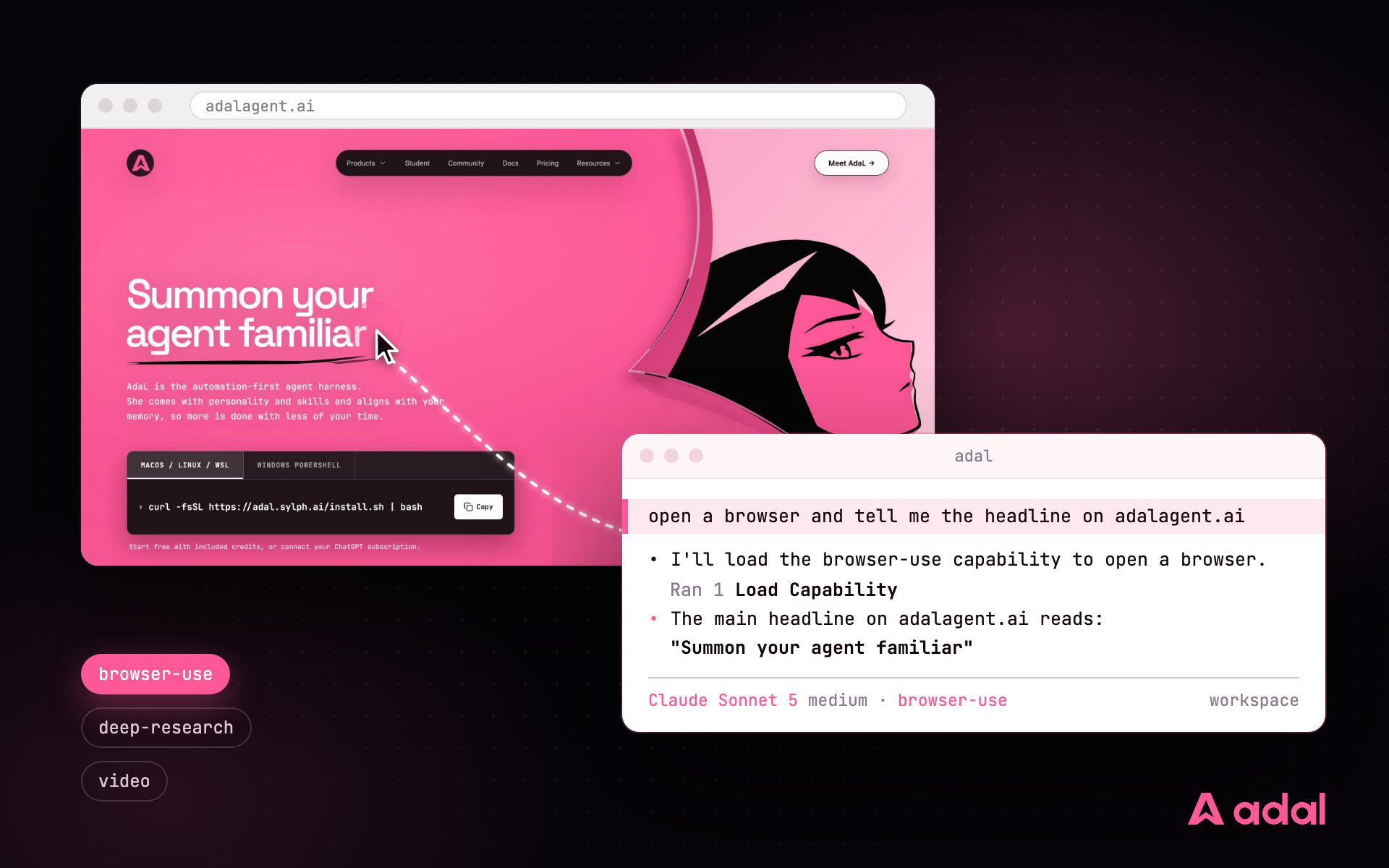
When your task matches, the agent loads the capability itself, mid-conversation:
This is a real session: the prompt never mentions capabilities or modes. The agent reads the task, announces "I'll load the browser-use capability to open a browser and check the site", loads it, opens the page in a real browser, and answers. The footer tag shows browser-use active for the rest of the session. It is the same browser stack that completed 92% of BU100 browser tasks.
Say "open a browser and check our staging deploy" and the browser capability loads, drives a real browser (your Chrome logins can carry over), and reports back. Say "turn that research into a video" in the same session and the video capability joins it. No switching, no setup.
The four capabilities
- Browser Use: drives a real browser. Opens pages, reads what actually rendered, fills forms, clicks through flows, takes screenshots.
- Deep Research: multi-source, evidence-led research with durable source documents and line-level citations.
- Video (preview): describe the video, get a production-ready file. Generated clips, voice-over, subtitles, trimming, scene composition.
- Autonomy Auditor: audits your codebase for what agents need to work autonomously: telemetry, tests, enforcement, agent setup.
Video works the same way. One prompt loads the video capability, generates the clip, checks its quality, and hands you the file:
Run /capabilities in the CLI to see what's available and what's active in your session.
Why sessions get lighter, not heavier
The natural worry: if everything is always available, doesn't every session carry everything? No, and that's the point of the design, which we call skill over tools.
A capability's tools and instructions stay out of your session entirely until the agent asks for them. They arrive when needed, and after a context compaction, a capability you're done with is discarded. A session that finished browsing never pays for browser tools again. The same mechanism works across Anthropic, OpenAI, and Google models, with no dependence on any provider's native features.
The result: you get more capability per session, and long sessions stay fast.
Also in 1.8.0
- Video generation (preview): the newest capability. Describe the video, get a file ready to upload.
- GPT-6 Astra and Claude Fable 5.1: OpenAI and Anthropic's newest flagship models join the catalog.
- Full multimodal support for image, video, and audio models. Run
/modelto see what's available.
Update AdaL and try it: ask for a browser, a research report, or a video, and watch the right capability load itself.
We'd love your feedback on capabilities, especially video while it's in preview. Reply to our product update email or find us on X.